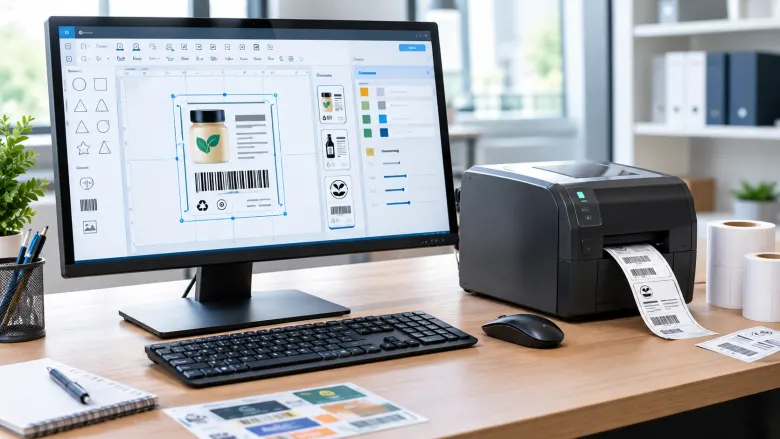
Labels help businesses organize products, identify inventory, prepare shipments, and share important information with customers. Whether you run a small retail store, an online shop, or a warehouse, creating accurate labels is an essential part of daily operations. Choosing the right software for creating and printing labels can simplify the entire process, allowing you to design professional layouts, manage product information, and print multiple labels without unnecessary manual work.
However, not every labeling tool offers the same features. Some applications focus on basic text and design, while others support barcode generation, spreadsheet imports, and batch printing. Understanding your requirements before choosing a solution can help you find a practical option that saves time and supports your business as it grows.
1. Understand Your Labeling Requirements
Start by identifying the types of labels your business uses regularly. Retailers may need product labels displaying prices, names, and barcodes. Warehouses often require shelf labels, inventory tags, and location identifiers, while online sellers may prioritize shipping labels and package details.
Your printing volume also matters. If you create only a few labels each week, a simple application may meet your needs. Businesses handling hundreds of products can benefit from automated data imports and batch printing features.
Making a list of essential requirements helps you compare available tools without paying for unnecessary functions.
2. Choose Software With Easy Design Features
An effective labeling application should make label creation straightforward, even for users without graphic design experience. Look for customizable templates, adjustable fonts, image insertion, logo placement, and flexible layout options.
Templates are particularly useful because they provide a starting point for common labeling tasks. Instead of creating each design from scratch, you can select an existing layout and modify it to suit your products.
A consistent design also strengthens brand recognition. Using similar colors, fonts, and logo placement across different product labels helps create a professional appearance. At the same time, ensure that important information remains readable and that the design does not become overcrowded.
3. Check Barcode and Data Import Capabilities
Businesses that manage inventory or sell products through retail channels may need barcode functionality. Before selecting a tool, confirm that it supports the barcode formats required by your products and scanning systems.
Data import capabilities can save additional time. Many businesses maintain product information in Excel spreadsheets, including names, SKU numbers, prices, and barcode values. Software that can import this information allows users to populate label templates without entering every detail manually.
This approach is especially useful when printing large quantities of labels. Nevertheless, always review imported data for missing values, duplicate identifiers, and formatting problems before starting a print run.
4. Confirm Printer Compatibility
Printer compatibility is an important consideration when choosing a labeling solution. Check whether the application supports your existing printer, operating system, and preferred label dimensions.
Thermal printers are commonly used for barcode labels, shipping labels, and inventory identification. Inkjet and laser printers may be suitable for compatible sheet labels and designs requiring color.
The software should also provide control over label size, orientation, margins, and print settings. These options help prevent misaligned text, cropped information, and wasted materials.
Before printing a large batch, produce a sample and inspect the results. If barcodes are included, test them with your scanner to confirm that they can be read reliably.
5. Evaluate Cost, Support, and Scalability
Pricing varies between labeling applications. Some require monthly or annual subscriptions, while others offer different licensing options. Consider the total cost, including upgrades, additional users, and access to advanced features.
Customer support is another factor worth evaluating. Clear documentation, setup instructions, and responsive assistance can make troubleshooting easier, especially when configuring printers or importing product data.
Think about future growth as well. A solution that supports reusable templates, larger product catalogs, and batch printing can remain useful as your labeling requirements become more complex.
Conclusion
The right labeling solution can make product identification and printing more efficient. By evaluating design features, barcode support, data imports, printer compatibility, pricing, and scalability, businesses can choose software that fits their everyday needs. Taking time to compare options and test sample prints helps reduce errors, save materials, and maintain consistent, professional labels across different business operations.
#LabelPrinting #LabelDesign #BusinessSoftware